Reports of data breaches keep coming. A recent incident at Booking.com drew attention, where cybercriminals used social engineering to access customer data and booking information. According to Booking.com, booking details, names, email addresses, and phone numbers may have been affected; financial information/payment data and postal addresses were not retrieved from Booking.com’s systems. Booking.com states it acted promptly (including updating PINs for affected reservations) and notified travelers. Incidents like this highlight that not only large platforms are targeted — but especially their users.
Why data breaches are on the rise
- Growing attack surface: More services, more logins, more data — each additional account increases risk.
- Professionalized attackers: Phishing, social engineering, and MFA bypasses (e.g., push-bombing) are becoming more sophisticated.
- Cascade effects: One compromised service can be a stepping stone to other accounts when passwords are reused.
Which data is especially attractive
- Credentials (email + password): The gateway for account takeovers.
- Personal information: Name, email, phone number — a basis for identity abuse and targeted phishing. Note: In the incident mentioned, Booking.com says no payment data or postal addresses were affected.
- Booking context: Travel plans/timelines can be leveraged for further fraud. Payment data itself was not affected, per Booking.com.
Risks for affected users
- Account takeovers: From inbox to cloud storage — a reused password is often enough.
- Financial harm: Fake invoices, subscription traps, “refund” fraud (often triggered by phishing using real booking details, not by leaked payment data).
- Long-term exposure: Once leaked, data can circulate indefinitely.
Five actionable protections (to start now)
- Unique, strong passwords per service
- No reuse. Use a password manager to generate and store complex, random passwords.
- Enable multi-factor authentication (MFA)
- Prefer app-based codes or FIDO2 security keys over SMS.
- Sharpen phishing detection
- Don’t click login/payment links from emails/chats. Type addresses manually. Booking.com states it never asks for credit card details via email/phone/WhatsApp/SMS and never for payments outside the policies in the booking confirmation.
- Take security alerts seriously
- New devices, password resets, login alerts: check immediately and act.
- Regularly check accounts for leaks
- See if email addresses appear in known breaches and change passwords right away.
How to proactively test your accounts
- Check regularly whether your email appears in leaks.
- Use services that apply k-anonymity (verification without revealing full passwords).
- Rotate affected passwords immediately — including anywhere they were reused.
If you’ve been affected
- Change the password and eliminate reuse.
- Enable/reset MFA; store recovery codes securely.
- Monitor financial accounts and order histories for anomalies.
- Increase phishing vigilance: Fraud often rises in the weeks after a breach.
Security is a process — not a one-off task
Establish routines — strong passwords, MFA, regular leak checks — to cut risk significantly and respond faster if something happens.
Conclusion
The Booking.com incident shows that even established platforms aren’t immune. According to Booking.com, no payment data or postal addresses were affected. What matters is how we act now — with strong passwords, MFA, and regular checks for possible compromise — to protect your digital identity sustainably.
Author: Andreas Stroebel / innoGPT
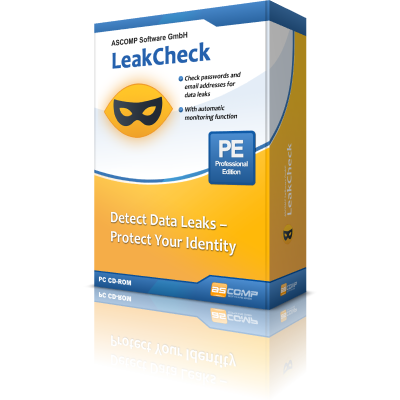
Automatic data checks and account protection with ASCOMP LeakCheck
Automatically scan and monitor your accounts for data breaches on Windows.